


NordVPN – fast VPN for privacy
4.659.59K Reviews
App Specs
- Version
- Varies with Device
- Updated On
- License
- Free
- Downloads
- 100,000,000+
- Developer
- Nord Security
- Categories
- Tools
- Platform
- Android
Screenshots

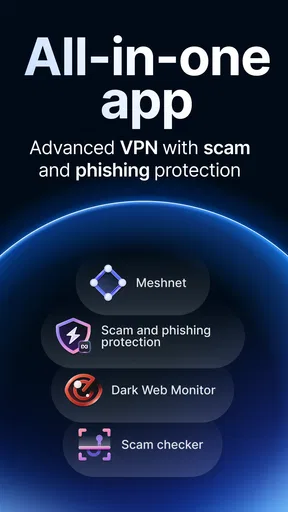
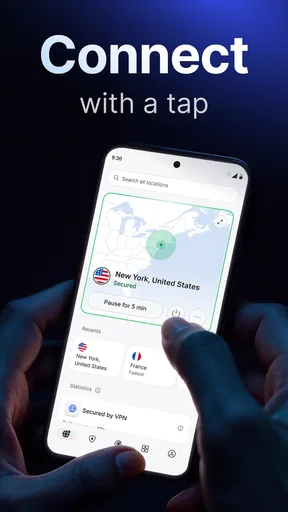
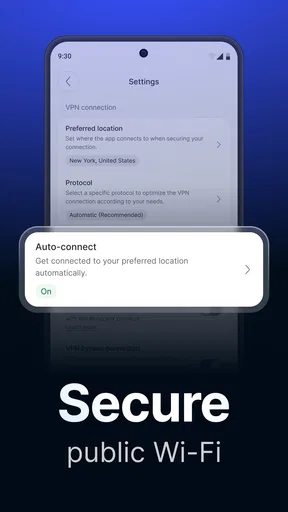
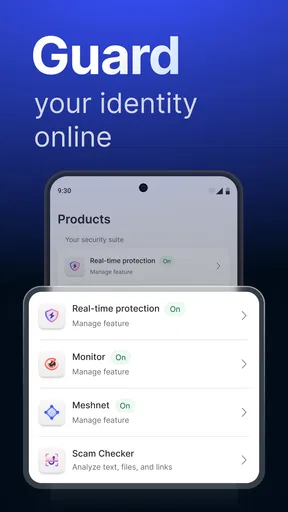
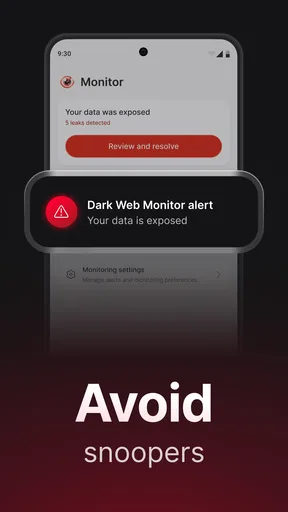
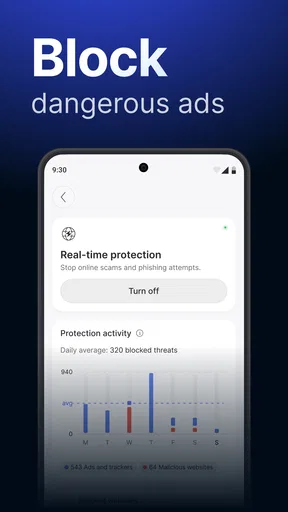
 Analysis by AppCompare
When I need to check a message on public Wi-Fi or handle a personal account away from home, I want a secure connection without turning a simple task into a networking project. That is the everyday problem NordVPN – fast VPN for privacy is meant to solve. It’s a free-to-download tools app from Nord Security, and its central job is to send your internet traffic through a VPN connection. I find the appeal less about constant tinkering and more about having a practical switch I can use when the network around me feels less trustworthy.
A useful starting point, not a cure-all
A VPN can help protect traffic between your device and the VPN service, especially when you’re using a network you don’t control. It does not make every online action anonymous, protect you from every scam, or remove the need to use strong passwords and sensible account security. I treat it as one layer in a broader routine rather than a magic privacy button. That distinction matters: the app is most useful when I know what problem I’m trying to reduce.
For a quick connection, the app keeps the main action easy to find. I can open it, connect, and then move on to browsing, messaging, or checking an account. The less obvious tip is to decide on a routine before I need one: for example, connect before signing in to a sensitive account on shared Wi-Fi, rather than remembering halfway through. That small habit makes the protection easier to use consistently.
Following a real trip from connection to checkout
Imagine I’m waiting at a station, joining its public Wi-Fi to check a travel update and pay a bill. I open the app before logging in, choose a connection, and wait for it to show that the VPN is active. Then I use the browser or payment app as usual. When I leave the station, I can disconnect if I no longer need the tunnel, or leave it running if I prefer the extra routing on the next network. The useful handoff is simple: the VPN works beneath the apps I already use, so I don’t have to move files or conversations into a separate service.
There is still a practical check worth making. If a page stalls or an app behaves oddly, I first confirm whether the VPN is connected, then try reconnecting or choosing another available server. A VPN can change how a service sees the connection, and some sites may ask for an extra sign-in or show a security check. I would not assume that every inconvenience is a fault in the app; sometimes the service on the other end simply reacts to a changed network route.
Choosing a location with a reason
For ordinary privacy on a nearby network, I’d start with the app’s quick connection rather than manually optimizing a server I don’t understand. If I need a particular location for a legitimate reason, selecting a suitable server can make more sense than accepting the first choice. The trade-off is that a distant route may add delay, especially for live calls or games. I wouldn’t switch locations repeatedly just to chase a number on a speed test; a connection that stays stable for the task is usually more valuable.
That also helps set realistic expectations about streaming and regional access. A VPN can change the apparent network location, but media services may still restrict content or ask for verification, and access can vary. I wouldn’t subscribe solely on the promise of unlocking a particular catalogue. If that is the only reason you want a VPN, check the service’s current rules and be prepared for the result to differ from one session to another.
Worth Reading Before You Choose

Baby Panda World Brings Quick Play to Modern Phones, but Its Game Library Feels Busy

ESPN’s Live Game View Makes Following Close Games Easier

QuizzLand Review: A Good Fit for Short Trivia Breaks, Not Every Player

Basketball Stars: Multiplayer Is Fast, but Can It Recover When Matches Go Wrong?

WEBTOON Turns Phone Updates Into a Better Reading Routine

Link to Windows Runs on Shared Habits, Not Social Feeds
Getting Started with NordVPN
Setting up NordVPN – fast VPN for privacy was a breeze. I downloaded it from the app store, and in just a few taps, I was ready to roll. The app’s interface is straightforward, which is refreshing compared to some VPNs that look like they were designed by rocket scientists. You have a big power button right in the middle, and tapping it connects you to the fastest server available. Easy peasy!
Speed and Performance
Now, I know what you’re thinking: "VPNs slow down your internet, right?" Surprisingly, NordVPN challenges that notion. I’ve streamed videos, played online games, and even video called friends without a hitch. The speed was consistently impressive, and I barely noticed any lag. It’s like putting on a cloak of invisibility without the weight of it dragging you down.
Speed depends on more than the VPN itself: your signal, the network’s congestion, the distance to the server, and the service you’re using all play a part. For a video call, I’d favor a nearby connection and avoid changing servers mid-call unless something is clearly wrong. For downloads or casual browsing, I’m less concerned about a small delay. If an activity demands the lowest possible latency, such as competitive online play, connecting directly may be the better choice.
Security Features
Alright, let’s talk security – the main reason we’re all here. NordVPN doesn’t skimp on this front. With military-grade encryption, my data felt as secure as a secret agent’s dossier. There’s also a nifty feature called "Double VPN" which routes your traffic through two servers instead of one, doubling the encryption. Plus, with over 5,000 servers worldwide, there’s always a secure spot to connect to.
Double VPN is the kind of option I’d reserve for situations where I value an extra routing layer more than speed. Sending traffic through two servers can add friction, so I wouldn’t turn it on by habit for every video call or game. A straightforward connection is a more sensible default for everyday browsing; extra complexity is useful only when it matches a real need. The same principle applies to any security tool: more layers can be reassuring, but they can also make troubleshooting harder.
One practical check before relying on a VPN is to confirm that the app is connected after opening it, especially if I’ve just changed networks or resumed the phone from sleep. I also keep in mind that a VPN protects the network route, not the account I’m signing into. A fake login page can still steal credentials, and a malicious file can still be harmful after download. I pair the connection with careful browsing and account protections instead of treating it as a substitute for them.
Privacy: Keeping Your Data Yours
In a world where data is gold, protecting it is crucial. NordVPN has a strict no-logs policy, meaning they don’t track or store your online activities. This is a big deal for me, as I value my privacy. The app also includes a "CyberSec" feature that blocks ads and malware-laden websites. It’s like having a bouncer for your internet connection.
Blocking tools can make browsing feel cleaner, but I still expect some ads and unwanted content to get through; no filter catches everything. If a page or app stops working as expected, I’d test whether the blocking feature is involved before changing several settings at once. That one-at-a-time approach makes it easier to identify what caused the problem and restore the protection I actually want.
For readers deciding whether this is the right category of tool, the distinction is straightforward. A VPN is useful when you want to route traffic through a protected connection, particularly on networks you don’t manage. A private browser mainly changes how browsing data is handled on the device, while a password manager helps protect logins; neither is a direct substitute for a VPN. I’d choose based on the gap in my routine rather than expecting one app to cover all three jobs.
User Experience
Let’s not forget about the overall user experience. The app is visually appealing with a clean design that’s easy to navigate. Whether you’re a tech newbie or a seasoned pro, you’ll find it intuitive. There’s also 24/7 customer support available, which is reassuring when you’re in a bind. I had a minor issue once, and their support team was quick and friendly, which is always a plus in my book.
The decision to keep a VPN on all the time is personal. Leaving it connected can save me from forgetting when I move between networks, but it may also create occasional login checks or compatibility snags. Disconnecting when an app or service needs a direct route is a reasonable workaround; I’d reconnect afterward rather than leaving the setting changed indefinitely. If you regularly use corporate, school, or other managed services, check their connection requirements before making a VPN part of your default routine.
The app is free to download, with in-app purchases ranging from around three dollars to around two hundred dollars per item. That makes it worth checking the plan and renewal terms shown in the app before committing, particularly if you only need occasional public-Wi-Fi protection. Its broad adoption is reflected in over one hundred million installs, a 4.6 average from around 1.2 million ratings, and about 58,000 written reviews. It is rated for Everyone, but the practical decision still comes down to whether you’ll use a VPN often enough to justify any paid plan.
Compared with a basic VPN built into a browser, a device-level VPN is more useful when I want the connection to cover activity beyond that browser. A simpler or free alternative may suit someone who only needs occasional protection and is comfortable with narrower options. I’d lean toward this app if I want a familiar, guided connection and the flexibility to choose a location or use an extra routing option. I’d skip it if I need a zero-cost tool with no paid features, don’t want to route traffic through a VPN provider, or depend on a service that blocks VPN connections.
Final Thoughts
In the grand scheme of the digital world, having a reliable VPN like NordVPN – fast VPN for privacy is a must. It offers a perfect blend of speed, security, and ease of use. Whether you’re protecting sensitive data, bypassing regional content restrictions, or just surfing the web securely, this app has got your back. So, if you’re on the fence about getting a VPN, I’d say give NordVPN a shot. It’s like having a trusty shield in the vast battlefield of the internet.
My practical recommendation is to try it with the tasks you actually do: connect before using public Wi-Fi, keep an eye on whether your call or site still behaves normally, and use a more complex routing option only when you have a reason. If you want a simple way to add a VPN connection to your phone routine, it’s an approachable choice. If you expect it to guarantee anonymity, eliminate every online risk, or make every regional service available, you’ll be disappointed. Used with those limits in mind, it can be a useful part of a sensible privacy setup.
Pros
- Fast connection speeds enhance streaming and browsing.
- User-friendly interface for easy navigation.
- Supports multiple devices simultaneously.
- Strong encryption ensures privacy and security.
- Wide range of global server locations.
Cons
- Premium features require a subscription.
- Occasional connection drops reported.
- Limited access to certain streaming services.
- App size may be large for some devices.
- In-app notifications can be frequent.
FAQs for NordVPN – fast VPN for privacy
What platforms is NordVPN available on?
NordVPN is available on a variety of platforms, including Android, iOS, Windows, macOS, and Linux. Additionally, it offers extensions for popular browsers like Chrome and Firefox. This wide availability ensures users can protect their devices with ease, regardless of the operating system they use.
How does NordVPN ensure my online privacy?
NordVPN uses advanced encryption protocols to secure your internet connection, preventing unauthorized access to your data. Its strict no-logs policy means that your online activities are not recorded. Additionally, features like Double VPN and CyberSec enhance security, providing an extra layer of privacy and protection against malware.
Is NordVPN user-friendly for beginners?
Yes, NordVPN is designed with user-friendliness in mind. Its interface is intuitive, making it easy for beginners to connect to a server with a single click. The app offers a Quick Connect feature that automatically selects the best server for your needs, ensuring a seamless experience even for those new to VPNs.
What are the subscription options for NordVPN?
NordVPN offers a variety of subscription plans to suit different needs and budgets. Users can choose from monthly, annual, or two-year plans, with discounts available for longer commitments. Each subscription comes with a 30-day money-back guarantee, allowing users to try the service risk-free.
Can I use NordVPN on multiple devices simultaneously?
Yes, a single NordVPN account allows you to connect up to six devices at the same time. This means you can protect your smartphone, tablet, laptop, and other devices without needing multiple subscriptions. This feature is especially useful for families or individuals with several devices.


